

시작하기 전에
- 실습에서는 정해진 기간 동안 Google Cloud 프로젝트와 리소스를 만듭니다.
- 실습에는 시간 제한이 있으며 일시중지 기능이 없습니다. 실습을 종료하면 처음부터 다시 시작해야 합니다.
- 화면 왼쪽 상단에서 실습 시작을 클릭하여 시작합니다.


The end-of-course project centers on comprehending project data requirements. In the Previous courses, you created a project proposal listing milestones that advance with each end-of-course project.
In this module you will see:
TikTok mission is to inspire creativity and spread happiness. Our staff fosters curiosity and operates in sync with cultural trends. With the combination of our organization's streamlined framework, you'll encounter vibrant chances to genuinely influence a swiftly expanding enterprise and advance your career.
You'll need to start the lab before you can access the materials. To do this, click the green “Start Lab” button at the top of the screen.
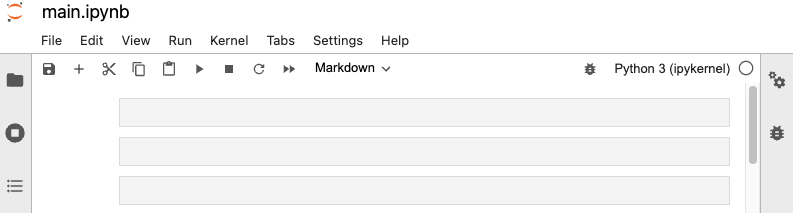
After you click the “Start Lab” button, you will see a Jupyter Notebook, where you will be performing further steps in the lab. You should have a jupyter notebook that looks like this:
You'll perform the following objective into this lab:
To complete this lab, you will open a Jupyter Notebook and follow instructions to enter code and written responses where prompted. The Jupyter notebook will autosave as you work, or you can manually save it by clicking the Save and Checkpoint button or by selecting Save and Checkpoint from the File menu.
As you complete the lab, note the following features:
In this task, you'll analyze and prep data for EDA. You'll create informative data visualizations to support business decision-making.
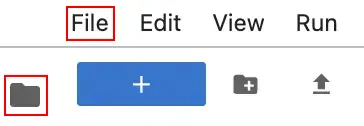
Click the files icon to access Jupyter notebook file.
Open the main.ipynb file, by clicking on the file name.
Explore the completed exemplar of the lab. Compare the code and text responses in the exemplar to your completed lab.
Before you end the lab, make sure you’re satisfied that you’ve completed all the tasks, and follow these steps:



현재 이 콘텐츠를 이용할 수 없습니다
이용할 수 있게 되면 이메일로 알려드리겠습니다.

감사합니다
이용할 수 있게 되면 이메일로 알려드리겠습니다.


한 번에 실습 1개만 가능
모든 기존 실습을 종료하고 이 실습을 시작할지 확인하세요.