Questo lab potrebbe incorporare strumenti di AI a supporto del tuo apprendimento.

Introduction

In this lab, you will open a notebook environment to practice using functions and other syntax to import and parse text files in Python. You’ll be presented with a security scenario to explore throughout the lab. You’ll prepare a security log file for analysis and create a text file with IP addresses that are allowed to access restricted information.

What you'll do

Let's test our knowledge by playing around with some text files!

Disclaimer: For optimal performance and compatibility, it is recommended to use either Google Chrome or Mozilla Firefox browsers while accessing the labs.

Start your lab

You'll need to start the lab before you can access the materials. To do this, click the green “Start Lab” button at the top of the screen.
Lab Start button

After you click the “Start Lab” button, you will see a Jupyter Notebook, where you will be performing further steps in the lab. You should have a jupyter notebook that looks like this:
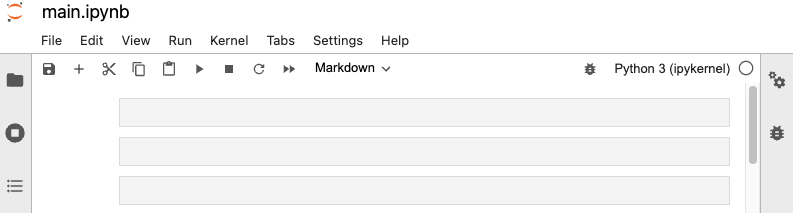
Jupyter Notebook

End your lab

Before you end the lab, make sure you’re satisfied that you’ve completed all the tasks, and follow these steps:

  • Click End Lab and then click Submit. Ending the lab will remove your access to the Jupyter Notebook. You won’t be able to access the work you've completed in it again.


Prima di iniziare

  1. I lab creano un progetto e risorse Google Cloud per un periodo di tempo prestabilito
  2. I lab hanno un limite di tempo e non possono essere messi in pausa. Se termini il lab, dovrai ricominciare dall'inizio.
  3. In alto a sinistra dello schermo, fai clic su Inizia il lab per iniziare

Utilizza la navigazione privata

  1. Copia il nome utente e la password forniti per il lab
  2. Fai clic su Apri console in modalità privata

Accedi alla console

  1. Accedi utilizzando le tue credenziali del lab. L'utilizzo di altre credenziali potrebbe causare errori oppure l'addebito di costi.
  2. Accetta i termini e salta la pagina di ripristino delle risorse
  3. Non fare clic su Termina lab a meno che tu non abbia terminato il lab o non voglia riavviarlo, perché il tuo lavoro verrà eliminato e il progetto verrà rimosso

Questi contenuti non sono al momento disponibili

Ti invieremo una notifica via email quando sarà disponibile

Bene.

Ti contatteremo via email non appena sarà disponibile

Un lab alla volta

Conferma per terminare tutti i lab esistenti e iniziare questo

Utilizza la navigazione privata per eseguire il lab

Il modo migliore per eseguire questo lab è utilizzare una finestra del browser in incognito o privata. Ciò evita eventuali conflitti tra il tuo account personale e l'account studente, che potrebbero causare addebiti aggiuntivi sul tuo account personale.

Completa questo rapido passaggio per avviare il lab.



