Lab ini mungkin menggabungkan alat AI untuk mendukung pembelajaran Anda.

Introduction

In this lab, you will open a notebook environment to practice using functions and other syntax to import and parse text files in Python. You’ll be presented with a security scenario to explore throughout the lab. You’ll prepare a security log file for analysis and create a text file with IP addresses that are allowed to access restricted information.

What you'll do

Let's test our knowledge by playing around with some text files!

Disclaimer: For optimal performance and compatibility, it is recommended to use either Google Chrome or Mozilla Firefox browsers while accessing the labs.

Start your lab

You'll need to start the lab before you can access the materials. To do this, click the green “Start Lab” button at the top of the screen.
Lab Start button

After you click the “Start Lab” button, you will see a Jupyter Notebook, where you will be performing further steps in the lab. You should have a jupyter notebook that looks like this:
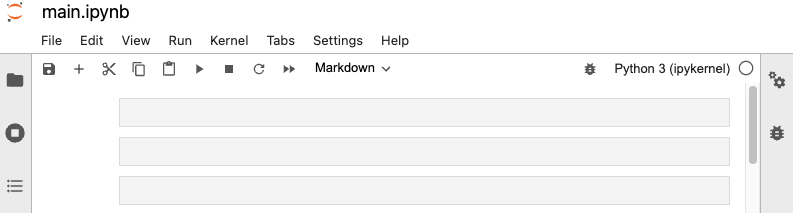
Jupyter Notebook

End your lab

Before you end the lab, make sure you’re satisfied that you’ve completed all the tasks, and follow these steps:

  • Click End Lab and then click Submit. Ending the lab will remove your access to the Jupyter Notebook. You won’t be able to access the work you've completed in it again.


Sebelum memulai

  1. Lab membuat project dan resource Google Cloud untuk jangka waktu tertentu
  2. Lab memiliki batas waktu dan tidak memiliki fitur jeda. Jika lab diakhiri, Anda harus memulainya lagi dari awal.
  3. Di kiri atas layar, klik Start lab untuk memulai

Gunakan penjelajahan rahasia

  1. Salin Nama Pengguna dan Sandi yang diberikan untuk lab tersebut
  2. Klik Open console dalam mode pribadi

Login ke Konsol

  1. Login menggunakan kredensial lab Anda. Menggunakan kredensial lain mungkin menyebabkan error atau dikenai biaya.
  2. Setujui persyaratan, dan lewati halaman resource pemulihan
  3. Jangan klik End lab kecuali jika Anda sudah menyelesaikan lab atau ingin mengulanginya, karena tindakan ini akan menghapus pekerjaan Anda dan menghapus project

Konten ini tidak tersedia untuk saat ini

Kami akan memberi tahu Anda melalui email saat konten tersedia

Bagus!

Kami akan menghubungi Anda melalui email saat konten tersedia

Satu lab dalam satu waktu

Konfirmasi untuk mengakhiri semua lab yang ada dan memulai lab ini

Gunakan penjelajahan rahasia untuk menjalankan lab

Menggunakan jendela Samaran atau browser pribadi adalah cara terbaik untuk menjalankan lab ini. Langkah ini akan mencegah konflik antara akun pribadi Anda dan akun Siswa, yang dapat menyebabkan tagihan ekstra pada akun pribadi Anda.

Selesaikan langkah cepat ini untuk memulai lab Anda.



