Dieses Lab kann KI-Tools enthalten, die den Lernprozess unterstützen.

Introduction

In this lab, you will open a notebook environment to practice using functions and other syntax to import and parse text files in Python. You’ll be presented with a security scenario to explore throughout the lab. You’ll prepare a security log file for analysis and create a text file with IP addresses that are allowed to access restricted information.

What you'll do

Let's test our knowledge by playing around with some text files!

Disclaimer: For optimal performance and compatibility, it is recommended to use either Google Chrome or Mozilla Firefox browsers while accessing the labs.

Start your lab

You'll need to start the lab before you can access the materials. To do this, click the green “Start Lab” button at the top of the screen.
Lab Start button

After you click the “Start Lab” button, you will see a Jupyter Notebook, where you will be performing further steps in the lab. You should have a jupyter notebook that looks like this:
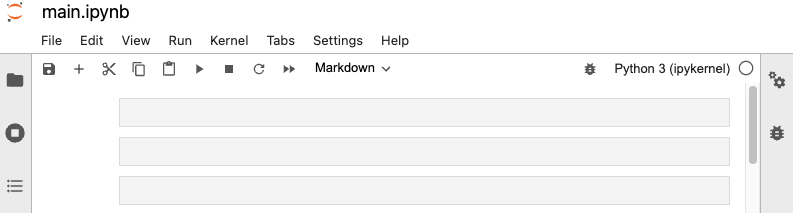
Jupyter Notebook

End your lab

Before you end the lab, make sure you’re satisfied that you’ve completed all the tasks, and follow these steps:

  • Click End Lab and then click Submit. Ending the lab will remove your access to the Jupyter Notebook. You won’t be able to access the work you've completed in it again.


Vorbereitung

  1. Labs erstellen ein Google Cloud-Projekt und Ressourcen für einen bestimmten Zeitraum
  2. Labs haben ein Zeitlimit und keine Pausenfunktion. Wenn Sie das Lab beenden, müssen Sie von vorne beginnen.
  3. Klicken Sie links oben auf dem Bildschirm auf Lab starten, um zu beginnen

Privates Surfen verwenden

  1. Kopieren Sie den bereitgestellten Nutzernamen und das Passwort für das Lab
  2. Klicken Sie im privaten Modus auf Konsole öffnen

In der Konsole anmelden

  1. Melden Sie sich mit Ihren Lab-Anmeldedaten an. Wenn Sie andere Anmeldedaten verwenden, kann dies zu Fehlern führen oder es fallen Kosten an.
  2. Akzeptieren Sie die Nutzungsbedingungen und überspringen Sie die Seite zur Wiederherstellung der Ressourcen
  3. Klicken Sie erst auf Lab beenden, wenn Sie das Lab abgeschlossen haben oder es neu starten möchten. Andernfalls werden Ihre bisherige Arbeit und das Projekt gelöscht.

Diese Inhalte sind derzeit nicht verfügbar

Bei Verfügbarkeit des Labs benachrichtigen wir Sie per E-Mail

Sehr gut!

Bei Verfügbarkeit kontaktieren wir Sie per E-Mail

Es ist immer nur ein Lab möglich

Bestätigen Sie, dass Sie alle vorhandenen Labs beenden und dieses Lab starten möchten

Privates Surfen für das Lab verwenden

Am besten führen Sie dieses Lab in einem Inkognito- oder privaten Browserfenster aus. So vermeiden Sie Konflikte zwischen Ihrem privaten Konto und dem Teilnehmerkonto, die zusätzliche Kosten für Ihr privates Konto verursachen könnten.

Führen Sie diesen kurzen Schritt aus, um Ihr Lab zu starten.



